Screen Studio vs Camtasia for Tutorial Video Creation
This page contains a Screen Studio affiliate link. We may receive a commission from qualifying purchases. How we earn · Editorial policy
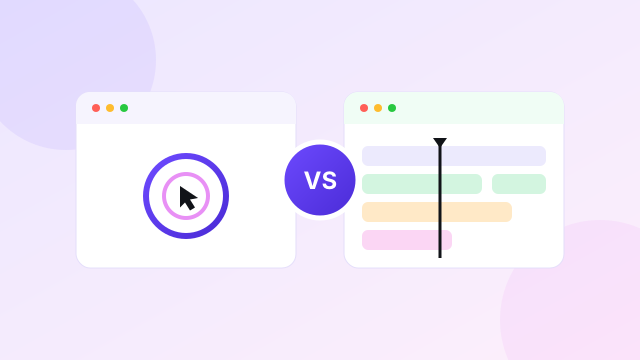
Screen Studio is better for Mac users who want polished demos with little editing. Camtasia is better for detailed tutorials, courses and training videos that need a full timeline, annotations, quizzes and multiple media tracks.
The products overlap at the recording stage. Both capture a screen and create professional videos. Their editing ideas are very different. Screen Studio automates common visual choices. Camtasia gives the creator more controls and expects more editing work.
Screen Studio vs Camtasia compared #
| Feature | Screen Studio | Camtasia |
|---|---|---|
| Best for | Short demos, tutorials and social clips | Courses, training and detailed tutorials |
| Platforms | macOS | Windows and macOS |
| Automatic zoom | Strong automatic and manual zoom system | Cursor effects and path editing with more manual control |
| Timeline | Focused and simple | Multi-track editor |
| Annotations | Masks, highlights, captions and visual framing | Callouts, animations, transitions, quizzes and more |
| AI tools | Local transcript and audio improvement | Text editing, filler-word removal, scripts and voice tools by plan |
| Sharing | Shareable links with comments | Screencast and review tools in selected plans |
| Starting serious editing price | $108 yearly | Essentials at $179.88 yearly |
| Windows support | No | Yes |
Prices and plan details checked 20 July 2026.
Different ideas about editing #
Screen Studio assumes that most product demos need the same visual treatment. The cursor should move smoothly. Important clicks should be enlarged. The screen should sit inside a clean frame. The final size should work for the chosen platform.
Camtasia assumes each project may be different. It provides an editable multi-track recording, transitions, animations, cursor paths, quizzes, captions and audio tools. This makes it possible to build a full training lesson, but it creates more decisions.
Screen Studio is faster when its opinion matches your need. Camtasia is stronger when the project needs a custom structure.
Recording tools #
Screen Studio records the full Mac display, a window or an area. It captures webcam, microphone and system audio, including sound from selected apps. It can also record an iPhone or iPad connected to a Mac.
Camtasia works on Windows and macOS. Current Camtasia plans include unlimited 4K 60fps recording. Higher plans provide editable multi-track recording, which is useful when screen, camera and audio need to be handled separately.
Screen Studio suits a person recording one clear product flow. Camtasia suits a lesson that combines several recordings, slides, voice clips and other assets.
Zoom and cursor control #
Screen Studio's automatic zoom is its biggest advantage. The app follows screen actions, adds zoom ranges and animates them. You can move or add zooms without creating keyframes. Cursor movement is smoothed and can be resized or hidden after recording.
Camtasia includes cursor effects and path editing on its Essentials plan. This gives more direct control over where the cursor moves and how it looks. Zoom and pan effects can be built for exact teaching moments.
The trade-off is time. Screen Studio produces a good default quickly. Camtasia can produce a more exact result after more editing.
Timeline and editing depth #
Screen Studio's timeline handles the common jobs:
- trim and cut;
- change playback speed;
- edit zoom ranges;
- hide the cursor in sections;
- crop the screen;
- adjust volume;
- add masks and highlights;
- change camera layout;
- add captions; and
- include background music.
Camtasia Essentials adds an editable multi-track recording, text-based video editing, filler-word removal, speech-to-text, unlimited captions, animations, transitions, quizzes and SCORM export. It also bundles Audiate and Snagit under the current plan structure.
Camtasia Create adds script generation, script improvement, voice generation and more than 200 voice options. Camtasia Pro adds the wider asset and collaboration package.
For a two-minute product clip, these additions may be unnecessary. For a 30-minute training module with a quiz and several scenes, they are valuable.
Captions and audio #
Screen Studio can generate a transcript locally and turn it into captions. It also normalises voice volume and removes background noise. Recent updates have improved microphone channels, enhancement and export behaviour.
Camtasia Essentials includes speech-to-text, unlimited caption generation, studio-quality audio effects and filler-word removal. Because Audiate is included, spoken editing is a larger part of the workflow.
Camtasia is better when narration carries the course. Screen Studio is enough when a short visual demo needs clean audio and readable captions.
Courses and training #
Camtasia wins for structured education. Quizzes and SCORM export help organisations place lessons inside a learning system. A multi-track timeline supports intros, chapters, callouts and several presenters.
Screen Studio can make clear software lessons. It records keyboard shortcuts, system audio, webcam and an iOS device. It can speed up typing and add a transcript. The smaller editor becomes a limit when the course needs many lessons, repeated graphics and interactive checks.
Use Screen Studio for fast software walkthroughs. Use Camtasia for a training product.
Product demos and social clips #
Screen Studio wins for short public demos. Its frame, automatic zoom and cursor design make a detailed app easier to follow. Horizontal and vertical layouts can be changed without rebuilding every animation.
Camtasia can create the same type of video, but the creator has to make more visual choices. Templates can reduce that work, yet the workflow remains closer to a traditional editor.
Our Screen Studio product demo guide shows how to plan a clear recording before touching the timeline.
Sharing and team review #
Screen Studio provides shareable links, private access, comments and view counts. The sharing layer is designed for a quick review after the video is edited.
TechSmith offers Screencast and review tools inside broader Camtasia packages. Camtasia Pro includes Camtasia, Audiate, Assets and Screencast. For business buyers, the exact bundle and seat terms should be checked with the live store.
Neither product is as centred on instant async messages as Loom. For that workflow, read our Screen Studio vs Loom comparison.
Pricing compared #
Screen Studio
| Plan | Price |
|---|---|
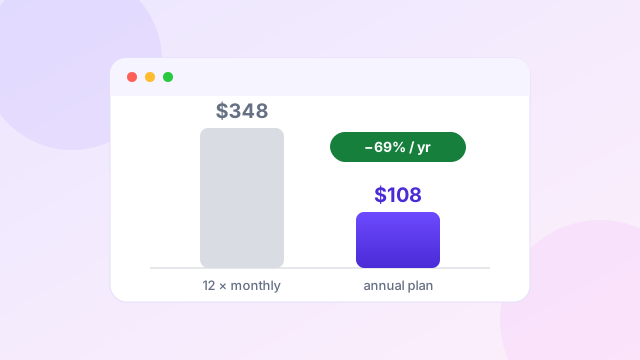
| Monthly | $29 per month |
| Annual | $108 per year |
Camtasia individual plans
| Plan | Current annual price | Main purpose |
|---|---|---|
| Starter | $39 | Capture tools and watermarked Camtasia Editor |
| Essentials | $179.88 | Full video and audio editing |
| Create | $249 | AI script and voice creation |
| Pro | Check current store | Assets, sharing and broader production package |
Prices checked 20 July 2026 on the official Camtasia store.
Camtasia Starter is not a direct replacement for the full Screen Studio workflow because its Editor output is listed as watermarked. Essentials is the more useful comparison for finished tutorial editing.
Screen Studio is $71.88 cheaper per year than Camtasia Essentials. Camtasia justifies the difference through a larger editor, Audiate, Snagit, quizzes and SCORM.
TechSmith moved current Camtasia releases to annual subscription licensing. Older perpetual versions follow separate terms. Read the current store before relying on old one-time prices.
Ease of use #
Screen Studio is easier for a first demo. Record, inspect automatic zooms, cut mistakes, adjust the background and export. A user can understand most of the workflow without learning a traditional editor.
Camtasia takes longer to learn because it can do more. Tracks, assets, transitions, audio tools and export choices require a production method. Once a team builds templates, that control can make repeated training work faster.
Ease is not only the number of buttons. It is how closely the tool matches the project. Screen Studio is easier for a short demo. Camtasia can be easier for a complex course because the needed controls are present.
Which should you choose? #
Choose Screen Studio if…
- you work on a Mac;
- most videos are under ten minutes;
- you make product demos and social clips;
- automatic zoom matters more than a full timeline; or
- you want to finish with fewer edits.
Choose Camtasia if…
- you need Windows support;
- you create courses or formal training;
- videos use many tracks and assets;
- quizzes or SCORM export are required; or
- speech editing and detailed audio work matter.
Choose the simpler Mac demo workflow
Screen Studio currently costs $108 yearly, equal to $9 per month.
Check Screen Studio through our affiliate linkAffiliate link. We may earn a commission at no extra cost to you.
See our Screen Studio review, pricing guide and alternatives comparison for more context.
Watch: Camtasia and Screen Studio compared on camera #
This short independent video captures the trade-off at the heart of this page: Camtasia as the deeper, more flexible editor with a steeper learning curve, and Screen Studio as the simpler tool focused on automatic presentation polish.
Video summary: The video positions Camtasia (from about $200 per year, Mac and Windows) as the more powerful but harder-to-learn suite, and Screen Studio ($29 monthly, $108 annual or a lifetime option, macOS only) as the intuitive polish-first recorder with lighter editing tools — the same conclusion our comparison tables reach. The second half of the video pitches a third product from the video's sponsor, which is not part of this comparison; our independent look at other options is in the alternatives guide.
Frequently asked questions #
Is Screen Studio easier than Camtasia?
Yes, for short Mac demos. Camtasia has a larger editor and takes more time to learn, but it handles more complex projects.
Is Camtasia better for courses?
Yes. Its multi-track editor, captions, quizzes, SCORM export and audio tools make it better for structured training.
Does Camtasia have automatic zoom like Screen Studio?
Camtasia has cursor effects, path editing and zoom controls. Screen Studio applies its zoom-first treatment more automatically.
Which tool supports Windows?
Camtasia supports Windows and macOS. Screen Studio is designed for macOS.
Which is cheaper?
Screen Studio costs $108 per year. Camtasia Essentials currently costs $179.88 per year. Camtasia Starter is cheaper but lists a watermarked Editor.
Can Screen Studio replace Camtasia?
It can replace Camtasia for short demos and straightforward tutorials. It does not replace Camtasia's multi-track training and course tools.
Related comparisons and guides
 Tutorial
How to Make Product Demos With Screen Studio
Plan, record, edit and export a clear product demo.
Tutorial
How to Make Product Demos With Screen Studio
Plan, record, edit and export a clear product demo.
 Comparison
Screen Studio vs Loom for Better Screen Videos
Polished demos versus fast async team communication.
Comparison
Screen Studio vs Loom for Better Screen Videos
Polished demos versus fast async team communication.
 Review
Screen Studio Review for Polished Mac Screen Recordings
Strengths, trade-offs and who the app suits.
Review
Screen Studio Review for Polished Mac Screen Recordings
Strengths, trade-offs and who the app suits.
 Pricing
Screen Studio Pricing Explained Before Choosing Your Plan
Monthly vs annual costs and the break-even point.
Pricing
Screen Studio Pricing Explained Before Choosing Your Plan
Monthly vs annual costs and the break-even point.
 Comparison
Best Screen Studio Alternatives for Mac and Windows
FocuSee, Tella, Loom, Camtasia and OBS Studio compared.
Comparison
Best Screen Studio Alternatives for Mac and Windows
FocuSee, Tella, Loom, Camtasia and OBS Studio compared.
Sources and editorial note
This comparison uses current details from the official Screen Studio website, Screen Studio guide and Camtasia store checked on 20 July 2026. The Screen Studio link is an affiliate link. No unsupported rendering or performance benchmark is claimed. Read our editorial policy.